

It used to be that 1 terabyte (TB) of storage was a lot, but now 1 TB of storage is quite common to find on even the least expensive laptops. And over the years, a number of cloud-based storage vendors have begun to support the TB era, and now many of them offer monthly storage plans for a reasonable price.
Over the course of several weeks, we tested five different cloud-based storage apps — Apple iCloud+, Box, Dropbox, Google One and Microsoft OneDrive — to see which one is the best cloud-based storage app for you. Based on our testing, both Microsoft OneDrive and Apple iCloud+ came out on top and are the best, depending on what kind of devices you use.
The best cloud storage app overall
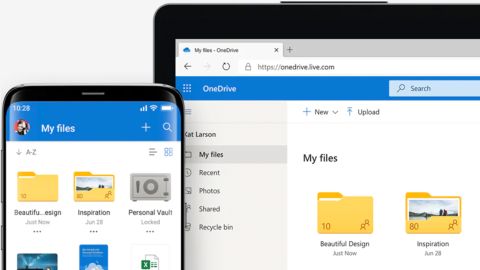
In our testing, we found Microsoft OneDrive’s Microsoft 365 Personal plan to be the best personal cloud storage choice, if you don’t use any Apple devices.
In our testing, our top performer was Microsoft OneDrive with its Microsoft 365 Personal plan. This is especially true if you don’t use any Apple products. It supports multi-factor authentication (MFA) logins, and these are easily set up and managed through the Microsoft Account portal. Shared content can be limited with an expiration date or a file password, and include either an email address or a URL.
Version history is also easily managed; we found all of these settings via a simple right-click. OneDrive’s virtual folder/directory is easily added and viewed in Finder/Explorer, and synchronization happens automatically in the background.
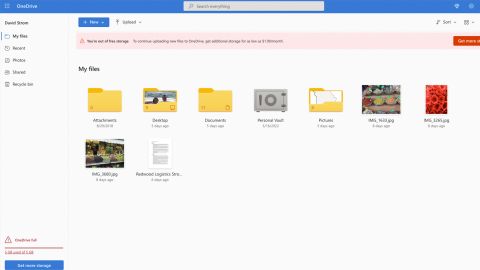
Microsoft OneDrive was easier for us to install on Macs than some of our Windows PCs that had additional browser-based security that blocked the desktop client downloads. A simple fix was to obtain this software from the Microsoft App Store. There is no direct telephone support.
OneDrive offers a free plan with 5 GB of storage, and it also comes with retaining up to 30 days of prior file version history. You can increase this storage to 100 GB for $1.99 per month, billed monthly, via the OneDrive Standalone plan. Or you can buy one of the Microsoft 365 plans starting at $6.99 per month, billed monthly, that will boost your storage to 1 TB (for the Personal plan, as tested) or to 6 TB for up to 6 people (for the Family plan). There are also referral bonuses that can add more storage, and annual payment discounts.
Runner up for best cloud storage app overall
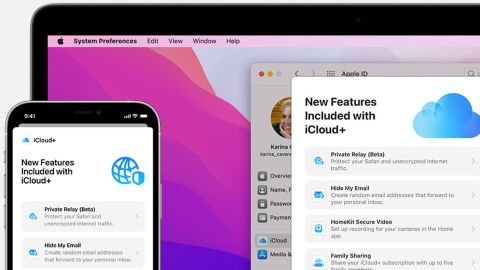
As long as you use at least one Apple product, we found Apple iCloud+ to be the best and easiest cloud-based storage app to use.
Even if you don’t use many Apple products, Apple iCloud+ is the simplest cloud-based app to use, easiest to set up and a bargain in terms of pricing. Its major drawback is that you really do need at least one Apple product if you are going to use it to its best advantage.
It supports MFA to secure your logins through configuring AppleID. iCloud works similarly on Windows and Macs, and also supports both Android and iPhones and any web browser. Sharing documents is simple, with links or direct listings in either Finder or Explorer.
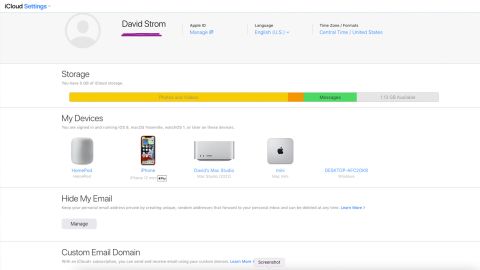
Apple recommends Windows 10 for all iCloud features but you can install the software on earlier versions. If you have an educational managed AppleID (assigned to you by your educational organization), then you will need to obtain a separate personal AppleID account in order to use it on your Windows machine. The iCloud+ plans also offer other features such as email alias forwarding via Hide My Email and a custom email domain.
Apple iCloud’s free plan provides 5 GB of storage and its iCloud+ paid plans come in three fixed paid plans: 50GB, 200GB and 2TB, with different pricing depending on where in the world you live. In the United States, the monthly cost is $0.99, $2.99 and $9.99 (as tested), respectively.
Cloud storage covers several use cases: First, having a virtual hard drive folder or directory that you can save files to and not worry about which equipment last made changes to the file. This makes it easier to share your own documents among all your various devices or share your documents with others. All of the five products we tested work by adding these virtual cloud drives to your Finder or Explorer windows for easy access to your files, along with supporting both Android and iOS devices and most browser versions.
Next, to be able to synchronize your files without any user intervention with your cloud storage. Typically, this works by setting a particular folder or directory that will be the source collection, and then the cloud storage makes updates in the background whenever you make changes. All of the vendors do this well, particularly on having speedy initial file uploads.
Finally, to serve as an emergency backup to save your bacon when circumstances require, such as being able to retrieve an older version of your file because of editing mistakes or because you deleted the file accidentally or because of some other disaster. Again, all of the vendors allow for this file version history, and some (such as Microsoft) support this on their free plans, too.
But there are a few downsides to cloud storage. First, if you are looking to offload some of your largest files, such as your photo or video collection going back years, you will be sorely disappointed because none of these vendors offer support for preserving your metadata or other useful information that you have added to these files.
Second, if you have older Windows or Mac OS versions running on your desktops, you will probably run into problems getting both to work on the Apple and Microsoft clouds.
Next are the security and privacy issues. While all five providers will encrypt your files in their clouds, you shouldn’t store any identity documents (such as driver licenses or health ID cards). If your files are hacked, then this is the low-hanging fruit for hackers to further exploit you. (OneDrive offers identity protection on up to three of your files, which is helpful.)
All five vendors support additional authentication factors and offer ways to protect your login. And some — Apple and Google — make MFA mandatory and Microsoft is moving in that direction. Getting this initially set up isn’t all that challenging but making changes (adding a new MFA method, for example) is a matter of finding the right place in the Web Admin Settings pages.
We tested five popular personal cloud storage apps, picking them from more than two dozen others by looking at those that were not only best reviewed but also that support all five endpoints (Android, iOS, Mac, Windows and browsers).
We set up accounts on each system and downloaded the various OS apps. We also reviewed the promised features and how they were implemented. We paid close attention to how to set up MFA security in each circumstance.
For the most part, the products all offered similar support, although some had additional security and privacy features. We examined other setup and installation issues and documented any problems.
All of the products had similar use cases, file transfer performance and operations. All of the cloud vendors have various integrations with their own apps (like Microsoft’s Office 365 and Skype, Google’s Gmail, and Apple’s desktop productivity apps) as well as other add-ons (both Box and Dropbox have been accumulating these integrations for years).
We also noted that all the services have good starter free plans to try out. For example, Apple and Microsoft both offer 5 GB, Dropbox offers 2 GB and Box offers 10 GB of storage. Google has a complex formula depending on what you use and when you obtained your account, but a new, free account provides 15 GB of storage.
Finally, we only tested the personal plans; we did not test the business versions of these products. Also, in our testing of the personal plans, we didn’t consider the use case of doing near-real-time collaborative editing because that is more the province of business cloud services.
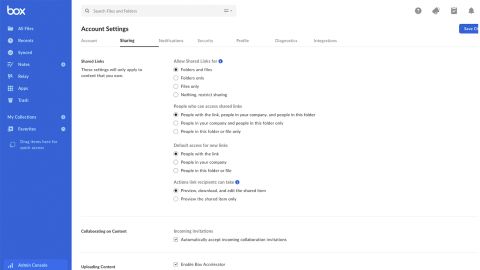
Box’s Forever Free plan is for a single, individual user and includes up to 10 GB and an upload limit of 250 MB per file. If you want access to prior file versions or more storage, then you can choose the 100GB Personal Pro plan for individuals for $14 per month, billed monthly; this plan has a 5GB file upload limit. You can also pay annually and get up to a 25% discount, depending on the plan.
Box doesn’t have any higher-capacity personal storage plans; for that, you’ll have to purchase one of its business plans, which provide unlimited storage. The business plans are available with 14-day free trials. Box also has integration modules with both Google Docs and Microsoft Office 365. Box supports MFA logins, too.
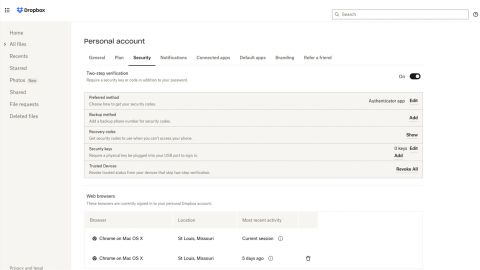
Dropbox’s free plan includes 2 GB of storage and can be shared on up to three separate devices. There are several plans to increase that storage, starting with the Personal Plus plan at $11.99 per month for 2 TB, billed monthly, for a single user (as tested). For households, there is a Family plan for up to six users sharing the 2 TB; this plan costs $19.99 per family per month. You can also pay annually and get up to a 20% discount, depending on the plan.
Unlike the free plan, the two paid Personal plans save 30 days of version history. Dropbox also caps you at 100 MB per shared file transfer. The paid plans support MFA logins, too. There are also paid business plans with 30-day free trials.
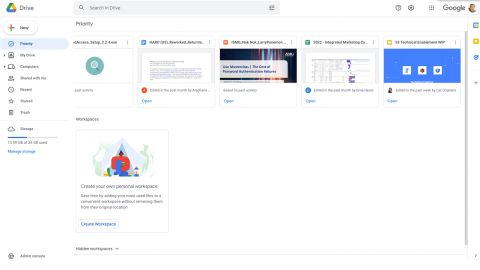
Google One’s free plan provides 15 GB of storage. There’s also a 100GB Basic plan for $1.99 per month, a 200GB Standard plan for $2.99 per month and 2TB Premium plan for $9.99 per month. You can also pay annually and get a 16% or 17% discount, depending on the plan. The Premium plan also includes a free virtual private network (VPN) for Android and iOS devices.
In all plans, the storage is shared across your documents, Gmail and shared photos. If you host your domain using Google’s Workspace, then these accounts now come with 35 GB of storage, along with Gmail and other Google tools included, starting at $6 per user per month.
Read more from CNN Underscored’s hands-on testing: