
Close Menu
New York Examiner News

    Subscribe to Updates

    Get the latest creative news from FooBar about art, design and business.

    What's Hot

    Tom Hardy Revives His Bane Voice on New Rap Album

    August 30, 2026

    Singapore has overhauled its baby bonus scheme. Will it work to boost birth rates this time?

    August 30, 2026

    Trump Mentally Collapses Over Report He Refuses To Go To Ground Zero On 9/11

    August 30, 2026
    Facebook X (Twitter) Instagram
    New York Examiner News
    • Home
    • US News
    • Politics
    • Business
    • Science
    • Technology
    • Lifestyle
    • Music
    • Television
    • Film
    • Books
    • Contact
      • About
      • Amazon Disclaimer
      • DMCA / Copyrights Disclaimer
      • Terms and Conditions
      • Privacy Policy
    New York Examiner News
    Home»US News»How to silence Amazon Alexa’s ‘by the way’ suggestions
    US News

    How to silence Amazon Alexa’s ‘by the way’ suggestions

    By AdminAugust 17, 2023
    Facebook Twitter Pinterest LinkedIn WhatsApp Email Reddit Telegram
    How to silence Amazon Alexa’s ‘by the way’ suggestions


    Do you ever feel like your Alexa device is listening to you a little too much? Do you wish you could have more control over what it says and when it says it?

    It’s great that they can be set up to lock our doors, turn off our lights or give us the weather.  

    STAY UPDATED WITH KURT’S FREE CYBERGUY NEWSLETTER TO GET SECURITY ALERTS, QUICK TIPS, TECH REVIEWS AND EASY HOW-TO’S TO MAKE YOU SMARTER 

    What I don’t appreciate about Alexa devices, however, is that they sometimes can give us extra information that we never asked for, which can be annoying. I get it – these are smart devices that are designed to give us helpful information.  

    However, sometimes I just want to turn off my living room lights without having to listen to suggestions of what to buy for my next backyard barbecue. 

    MORE: ALEXA IS LISTENING: MAKE THESE IMPORTANT PRIVACY TWEAKS ON YOUR AMAZON ECHO DEVICE NOW 

    Luckily, there are a few things that you can do to your Alexa device that will decrease how often it gives you these unsolicited suggestions. Here are some settings you can play around with on your Alexa device that can make it less intrusive and more helpful. 
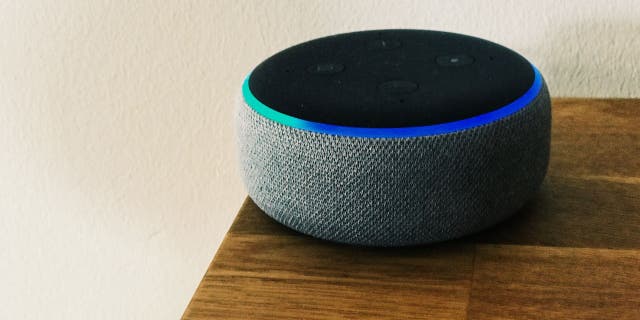
    How to silence Amazon Alexa’s ‘by the way’ suggestions

    To help limit the device’s suggestions, you can go to settings and turn off “Things to try.” (CyberGuy.com)

    Turn off “Things to Try” 

    One way you can get those suggestions to slow down is by turning off Alexa’s “Things to Try” setting. This setting is meant to let you know of all the unique features that Alexa can perform for you that you may not be immediately aware of.  

    When this setting is turned on, Alexa will periodically make suggestions to you about skills and activities you can do on the device that it thinks will be helpful. If you don’t want to receive these suggestions, the setting is pretty easy to turn off. 

    How to turn off Things to Try 

    • Open your Alexa app
    • Click the 3 horizontal lines at the bottom
    • Tap Settings
    • Select Notifications 
    • Scroll down and tap Things to Try, and then next to Phone notifications, toggle it off so it turns from blue to grey

    MORE: THE CREEPY REASON WHY YOU DON’T WANT TO PUT ALEXA IN YOUR BEDROOM 

    Turn on “Brief Mode” 

    “Brief Mode” is a feature that shortens interactions with Amazon’s Alexa by having it keep conversations to a minimum and sometimes just playing a short sound instead of speaking.  

    When Brief Mode is enabled, Alexa won’t always say “OK” after every command; it just takes care of the task at hand. 

    How to turn on “Brief Mode” 

    • Open your Alexa app
    • Click the 3 horizontal lines at the bottom
    • Tap Settings
    • Select Voice Responses 
    • Toggle on Brief Mode

    Turn off Alexa device notifications 

    Wanna’ turn off those annoying Alexa device notifications so you don’t hear them any longer. Here’s how to do it: 

    • Open the Alexa app
    • Click the 3 horizontal lines at the bottom
    • Tap Settings
    • Tap on Notifications
    • You will see a list of features or services that can send you notifications, such as announcements, Hunches, Reminders, and so on
    • Tap on the feature or service that you want to turn off notifications for
    • Use the toggle to turn Notifications off
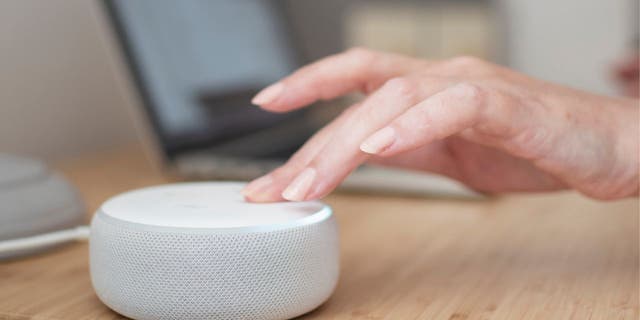
    White Amazon Alexa device on a light wooden table with a hand touching the device

    You can also turn on “Brief Mode” and turn off the device’s notifications along with its Hunches in settings to help silence or control Alexa’s interactions. (CyberGuy.com)

    MORE: HOW TO MANAGE AND DELETE YOUR ALEXA HISTORY AND RECORDINGS  

    What about those suggestions I get from Alexa? 

    Aside from giving you unwanted suggestions, Alexa also might send you regular updates on things like forgetting to lock your front door at night. Many people may find this helpful because the last thing you want is to accidentally leave your front door unlocked. 

    However, some people would rather keep their privacy intact and not feel like there’s a device making note of their every move. The setting within Alexa that gives you these updates, like unlocked doors, lights left on, etc., comes from the Hunches setting. You can turn this setting off on your Alexa app as well. 

    How to turn off Hunches 

    • Open your Alexa app
    • Click the 3 horizontal lines at the bottom
    • Tap Settings
    • Select Hunches and toggle it off 

    Controlling Alexa’s package delivery updates 

    You can also control the amount of updates Alexa gives you when packages are being delivered. You get enough email and text notifications when your packages arrive, so you don’t need to hear it from your Alexa device as well if you do not wish to. Here’s what you can do. 

    Brown package on a cement step in front of a door

    You can also control Alexa’s delivery updates for packages by turning off Amazon Shopping in settings. (CyberGuy.com)

    How to turn off Amazon Shopping 

    • Open your Alexa app
    • Click the 3 horizontal lines at the bottom
    • Tap Settings
    • Select Notifications 
    • Go to Delivery Notifications and toggle Off next to “Out for delivery” and “Delivered”

    And if you want more information about how to adjust your privacy settings on your Alexa device to better fit your needs, head over to Cyberguy.com/AlexaPrivacy 

    Kurt’s key takeaways 

    Alexa devices are meant to help us and give us what we need, so why shouldn’t we be able to adjust those settings to get exactly what we want? Try playing around with the settings in your Alexa app and see how you can personalize your experience with the device. 

    CLICK HERE TO GET THE FOX NEWS APP

    Should all these settings within Alexa be turned on automatically, or should you get to decide from the beginning what features they want to be turned on? Let us know by writing us at Cyberguy.com/Contact 

    For more of my security alerts, subscribe to my free CyberGuy Report Newsletter by heading to Cyberguy.com/Newsletter 

    Copyright 2023 CyberGuy.com.  All rights reserved. 

    Kurt “CyberGuy” Knutsson is an award-winning tech journalist who has a deep love of technology, gear and gadgets that make life better with his contributions for Fox News & FOX Business beginning mornings on “FOX & Friends.” Got a tech question? Get Kurt’s CyberGuy Newsletter, share your voice, a story idea or comment at CyberGuy.com.


    Original Source Link

    Share. Facebook Twitter Pinterest LinkedIn WhatsApp Email Reddit Telegram
    Previous ArticleWonder Brands’ pivot to acquiring e-commerce infrastructure pays off
    Next Article Joe Biden Jogs to Avoid Reporters After Comer Reveals He Used Pseudonym For Ukraine Dealings (VIDEO) | The Gateway Pundit

    RELATED POSTS

    North Carolina issues rabies warning after petting zoo goats test positive

    August 30, 2026

    Triathlete who survived alligator attack tells harrowing story of his escape: ‘I got super lucky’

    August 29, 2026

    Greg Abbott orders pause on Flock Safety funding amid privacy concerns

    August 29, 2026

    Kamala Harris mocked for using Trump’s ‘too big to rig’ midterm cry

    August 28, 2026

    Fiery Lindsay Clancy trial talk at work could get you fired, expert warns

    August 28, 2026

    Virginia Cavaliers release week zero injury report featuring a shocking number of hurt players

    August 27, 2026
    latest posts

    Tom Hardy Revives His Bane Voice on New Rap Album

    Under his Frankie Pulitzer alias, Tom Hardy has teamed with Czarface — the underground rap…

    Singapore has overhauled its baby bonus scheme. Will it work to boost birth rates this time?

    August 30, 2026

    Trump Mentally Collapses Over Report He Refuses To Go To Ground Zero On 9/11

    August 30, 2026

    North Carolina issues rabies warning after petting zoo goats test positive

    August 30, 2026

    Soundcore Liberty 5 Pro Review: Master of Phone Calls

    August 30, 2026

    NASA’s Roman Space Telescope could find alien Earths—but not like you think

    August 30, 2026

    Pedro Almodóvar: ‘Everyone that surrounds a…

    August 30, 2026
    Categories
    • Books (1,459)
    • Business (6,362)
    • Events (70)
    • Film (6,297)
    • Lifestyle (4,370)
    • Music (6,424)
    • Politics (6,347)
    • Science (5,714)
    • Technology (6,295)
    • Television (5,985)
    • Uncategorized (9)
    • US News (6,350)
    popular posts

    Reba McEntire Breaks Down In Tears As 16 Year-Old Singer Performs One Of Her Songs On ‘The Voice’

    Opinion Source: Screenshot Entertainment Tonight YouTube Reba McEntire could not help but break down in…

    ‘All Star Shore’ Cast on How Competition Series Compares to ‘The Bachelorette,’ ‘Love Is Blind’ & More

    June 22, 2022

    Betsy Sadler’s Hollywood Hills Dinner Party

    October 17, 2024

    Turmoil in Sri Lanka as thousands protest

    July 9, 2022
    Archives
    Browse By Category
    • Books (1,459)
    • Business (6,362)
    • Events (70)
    • Film (6,297)
    • Lifestyle (4,370)
    • Music (6,424)
    • Politics (6,347)
    • Science (5,714)
    • Technology (6,295)
    • Television (5,985)
    • Uncategorized (9)
    • US News (6,350)
    About Us

    We are a creativity led international team with a digital soul. Our work is a custom built by the storytellers and strategists with a flair for exploiting the latest advancements in media and technology.

    Most of all, we stand behind our ideas and believe in creativity as the most powerful force in business.

    What makes us Different

    We care. We collaborate. We do great work. And we do it with a smile, because we’re pretty damn excited to do what we do. If you would like details on what else we can do visit out Contact page.

    Our Picks

    NASA’s Roman Space Telescope could find alien Earths—but not like you think

    August 30, 2026

    Pedro Almodóvar: ‘Everyone that surrounds a…

    August 30, 2026

    ‘America’s Got Talent’ Reveals Simon Cowell’s Replacement

    August 30, 2026
    © 2026 New York Examiner News. All rights reserved. All articles, images, product names, logos, and brands are property of their respective owners. All company, product and service names used in this website are for identification purposes only. Use of these names, logos, and brands does not imply endorsement unless specified. By using this site, you agree to the Terms & Conditions and Privacy Policy.

    Type above and press Enter to search. Press Esc to cancel.

    We use cookies on our website to give you the most relevant experience by remembering your preferences and repeat visits. By clicking “Accept All”, you consent to the use of ALL the cookies. However, you may visit "Cookie Settings" to provide a controlled consent.
    Cookie SettingsAccept All
    Manage consent

    Privacy Overview

    This website uses cookies to improve your experience while you navigate through the website. Out of these, the cookies that are categorized as necessary are stored on your browser as they are essential for the working of basic functionalities of the website. We also use third-party cookies that help us analyze and understand how you use this website. These cookies will be stored in your browser only with your consent. You also have the option to opt-out of these cookies. But opting out of some of these cookies may affect your browsing experience.
    Necessary
    Always Enabled
    Necessary cookies are absolutely essential for the website to function properly. These cookies ensure basic functionalities and security features of the website, anonymously.
    CookieDurationDescription
    cookielawinfo-checkbox-analytics11 monthsThis cookie is set by GDPR Cookie Consent plugin. The cookie is used to store the user consent for the cookies in the category "Analytics".
    cookielawinfo-checkbox-functional11 monthsThe cookie is set by GDPR cookie consent to record the user consent for the cookies in the category "Functional".
    cookielawinfo-checkbox-necessary11 monthsThis cookie is set by GDPR Cookie Consent plugin. The cookies is used to store the user consent for the cookies in the category "Necessary".
    cookielawinfo-checkbox-others11 monthsThis cookie is set by GDPR Cookie Consent plugin. The cookie is used to store the user consent for the cookies in the category "Other.
    cookielawinfo-checkbox-performance11 monthsThis cookie is set by GDPR Cookie Consent plugin. The cookie is used to store the user consent for the cookies in the category "Performance".
    viewed_cookie_policy11 monthsThe cookie is set by the GDPR Cookie Consent plugin and is used to store whether or not user has consented to the use of cookies. It does not store any personal data.
    Functional
    Functional cookies help to perform certain functionalities like sharing the content of the website on social media platforms, collect feedbacks, and other third-party features.
    Performance
    Performance cookies are used to understand and analyze the key performance indexes of the website which helps in delivering a better user experience for the visitors.
    Analytics
    Analytical cookies are used to understand how visitors interact with the website. These cookies help provide information on metrics the number of visitors, bounce rate, traffic source, etc.
    Advertisement
    Advertisement cookies are used to provide visitors with relevant ads and marketing campaigns. These cookies track visitors across websites and collect information to provide customized ads.
    Others
    Other uncategorized cookies are those that are being analyzed and have not been classified into a category as yet.
    SAVE & ACCEPT